
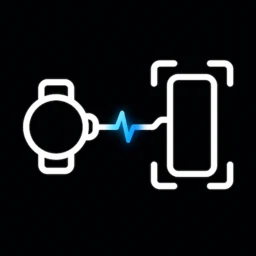

WristCapture: Phone Screenshot
Snapshot Hummingbird
Request a normal Android phone screenshot from a paired Wear OS watch using the WristCapture app, Tile, or watch-face complication. Android creates and stores the screenshot; WristCapture does not receive the image.
- Android + Wear OS
- Free + one-time Lifetime Pro
- Phone companion required
- Tile
- Complication
Card stats
- Platform
- Android + Wear OS
- Purchase model
- Free + one-time Lifetime Pro
- Phone required?
- Yes
- Standalone?
- No
- Tile
- Yes
- Complication
- Yes
What can WristCapture: Phone Screenshot help with?
- Take a normal Android phone screenshot from a paired Wear OS watch
- Trigger a phone screenshot from a Wear OS Tile or watch-face complication
- Use a watch remote for Android screenshots without sending screenshot pixels to a developer server
Key Features
- Request a phone screenshot deliberately from the Wear OS app Capture button
- Use the WristCapture Tile or watch-face complication as one-tap quick-action surfaces
- Keep normal launcher opens as navigation so reopening the app never silently captures
- Test phone compatibility and complete the AccessibilityService disclosure and consent flow from the Android companion
- Receive honest accepted, rejected, setup-needed, locked-phone, duplicate, rate-limited, and unknown-result states
- Start with 10 included captures, optionally earn +10 finite capture credits from a server-verified phone rewarded ad, or unlock unlimited Lifetime Pro with a one-time Google Play purchase
- Prevent accidental duplicates with versioned request IDs, freshness checks, durable replay protection, serialized execution, and cooldown handling
- Keep screenshot pixels, files, gallery entries, accessibility nodes, and screen text outside WristCapture
- Respect Android secure-window and DRM screenshot restrictions
- Operate without an account, developer analytics, cloud backend, or screenshot upload service; rewarded advertising is explicit, phone-only, and never shown on Wear OS
Frequently asked questions
Does WristCapture take a screenshot of the watch?
No. WristCapture asks the paired Android phone to run Android’s normal system screenshot action after a deliberate request from the watch.
Can WristCapture see or upload my screenshots?
No. WristCapture does not receive screenshot pixels, query screenshot files, inspect the gallery, or upload screen content. Android creates and stores the screenshot.
Why does the phone component use AccessibilityService?
Android does not expose a normal watch-remote permission for invoking the system screenshot shortcut. WristCapture uses a narrowly configured AccessibilityService only for Android’s built-in Take screenshot global action after a deliberate request.
What is included before Lifetime Pro?
WristCapture includes ten accepted watch-originated captures. Failed, stale, duplicate, locked, disconnected, incompatible, or otherwise rejected requests do not consume the included allowance.
Does WristCapture show ads?
Only if you explicitly choose the rewarded-credit option on the Android phone. A server-verified rewarded ad adds 10 finite capture credits. There are no banner, interstitial, app-open, automatic, Tile, complication, or Wear OS ads, and Lifetime Pro remains ad-free.
Will WristCapture bypass protected apps or DRM restrictions?
No. WristCapture does not bypass Android security controls. Apps and protected screens that block screenshots remain protected by the operating system.
Add Snapshot Hummingbird to your collection
Free + one-time Lifetime Pro. One tap from Google Play.
Help & feedback
Report a problem, suggest an improvement, or contact the developer about WristCapture: Phone Screenshot. No GitHub account is required.
PeerPush
Find WristCapture: Phone Screenshot on PeerPush
Open the product listing on PeerPush for another way to discover and share this app.

Learn how this Wear OS app fits the workflow
Use the focused guide when you want the practical workflow, or explore related Wear OS apps for the same type of task.
Browse all Wear OS apps