Focused full-screen color utility for light, visibility, or simple visual use cases.
A standalone Wear OS screen color utility that fills the watch display with the color you choose for simple flashlight, mood light, or visual reference use.
Standalone

Android + Wear OSFree + one-time Pro
Travel-oriented time and weather reference when saved-city context matters on both phone and watch.
Weather, local time, forecasts, and travel planning across Android and Wear OS, with manual city selection, phone/watch sync, Tile and complication support, and a one-time permanent Pro upgrade.
TileComplication

Android + Wear OSFree + one-time Pro
Fast note capture from the wrist when pulling out a phone would interrupt the moment.
An Android and Wear OS capture inbox for one-tap timestamps, voice notes, checklists, reminders, offline-first watch capture, phone organization, and an optional one-time Pro unlock.
TileComplication

Wear OSFree + one-time Pro
Quick randomization and picker workflows for small decisions directly on the watch.
Make quick decisions from Wear OS with dice, coin flips, random numbers, list picking, team splitting, and a visual wheel, plus Tile and watch-face complication access.
TileComplication

Android + Wear OSFree + optional rewarded access + one-time Pro
Arm a phone motion alarm before you step away, review local trigger history, add Pro charger-removal monitoring, and receive best-effort trigger alerts on a paired Wear OS watch.
Android companion requiredTile

Wear OSFree + one-time Pro
Standalone Wear OS haptic fidget collection with included tactile modes, optional sound, Discreet Mode, Tile access, and a watch-face complication.
A standalone Wear OS haptic fidget app with 6 included tactile fidgets, 12 more with a one-time Wear Pro unlock, optional sound, Discreet Mode, Tile and complication access.
StandaloneTileComplication
Android + Wear OSFree + one-time Pro
Turn manual values, Tasker updates, and supported HTTPS JSON data into native Wear OS complications, with phone-first setup and watch-local cached state.
Android companion requiredComplication
Wear OSFree + one-time Pro
Keep tennis score from a standalone Wear OS watch with deterministic touch scoring, bounded voice input, an explicitly armed Hands-Free Match Mode, and Undo.
Standalone

Wear OSFree + one-time Pro
Watch-first unit conversion for common fixed unit relationships with favorites and quick access.
Convert 81 units across 11 categories directly on Wear OS, with favourite pairs, recents, watch-native input, a Quick conversions Tile, and a watch-face complication.
TileComplication

Android + Wear OSFree + one-time Lifetime Pro
Paired-device utility for deliberately requesting Android’s normal phone screenshot action from Wear OS.
Request a normal Android phone screenshot from a paired Wear OS watch using the WristCapture app, Tile, or watch-face complication. Android creates and stores the screenshot; WristCapture does not receive the image.
Android companion requiredTileComplication

Wear OSFree + one-time Pro
Create random winners, partners, teams, turn order, and Tap and Pass reveals directly on Wear OS, with a free core and optional one-time Pro unlock.
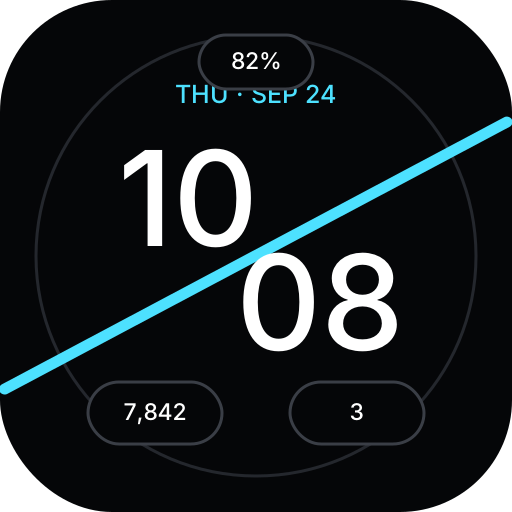
A modern Wear OS Watch Face Format rebuild of Diagonal Stats with three configurable complication slots, restrained ambient rendering, customizable accents, and a resource-only runtime.
Standalone