A standalone Wear OS interval timer with haptic cues for HIIT, Tabata, AMRAP, EMOM, boxing rounds, saved presets, active timer notification, Tile and complication support, and optional Pro unlock.

Quick Facts
- Platform
- Wear OS
- Purchase model
- Free + one-time Pro
- Phone required?
- No
- Standalone?
- Yes
- Account required?
- No
- Network
- RallyCue itself does not require a phone companion or app-level internet access; Android speech-provider behavior can vary by device, language, and provider route.
What can RallyCue: Tennis Scorekeeper help with?
Common problem statements this app is designed to address:
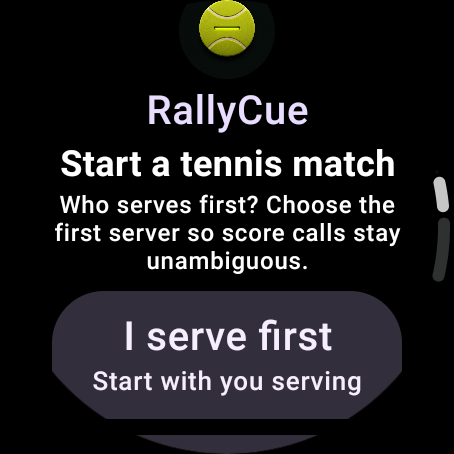
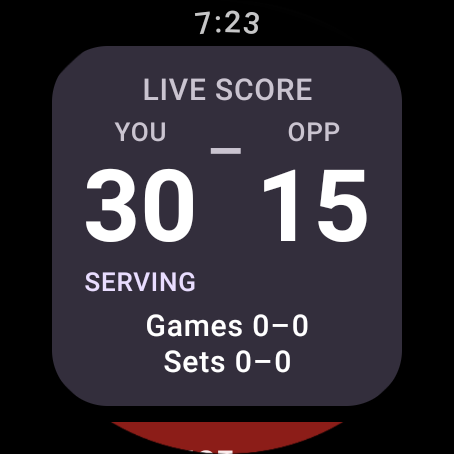
- Keep tennis points, games, sets, serving context, and tiebreak state directly on a Wear OS watch
- Call supported score updates during play with bounded voice recognition instead of repeatedly tapping the watch
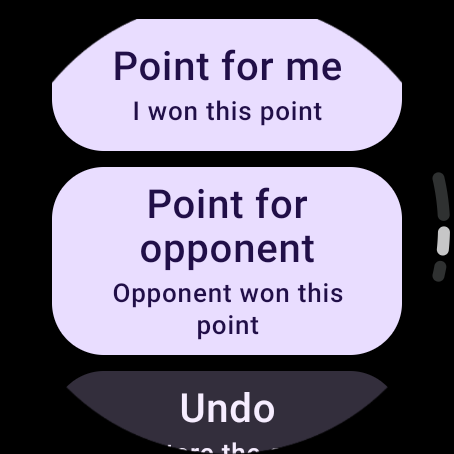
- Fall back to deterministic touch scoring and Undo when voice recognition is unavailable or uncertain
Screenshots


Key Features
- Track a tennis match directly on a standalone Wear OS watch without requiring a phone companion or RallyCue account
- Use deterministic tennis scoring for points, deuce, advantage, games, sets, serving context, and tiebreak state
- Start a bounded Listen-once voice request explicitly from the active match screen
- Optionally arm Hands-Free Match Mode for a visible, user-stoppable match session that advances through bounded recognition generations rather than passive unbounded listening
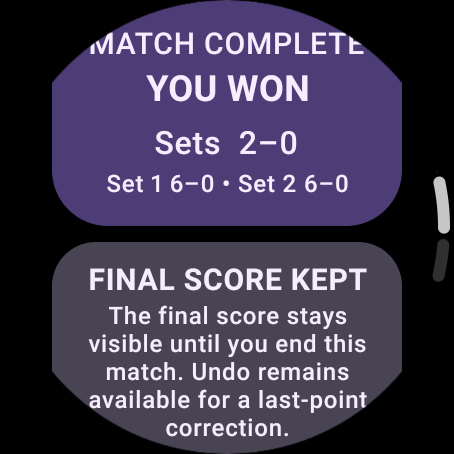
- Keep Hands-Free sessions bounded with an explicit owner, a 90-minute ceiling, and no automatic resume after reboot, process loss, permission loss, match end, or explicit Stop
- Validate recognized score phrases against the current deterministic match state before any score mutation
- Require confirmation or reconciliation when a result is uncertain or appears to skip a reachable point instead of silently guessing
- Use large touch controls when voice is unavailable or unwanted and Undo the previous accepted state when needed
- Store authoritative active-match state and bounded Undo recovery snapshots locally on the watch; RallyCue does not persist raw microphone audio
- Use optional one-time RallyCue Pro through Google Play Billing for convenience features including Natural Score and Hands-Free Match Mode while core scoring, Undo, correction, Stop Listening, and recovery remain available as safety paths
- No RallyCue backend, account system, advertising SDK, analytics SDK, or crash-reporting SDK is required for current app operation
Frequently Asked Questions
Which sport does RallyCue support right now?
The current release supports tennis. Pickleball and padel are not advertised as shipped features.
Does voice scoring work on every Wear OS watch?
No. Voice behavior depends on the watch, Android speech provider, language support, permissions, and available recognition routes. Deterministic touch scoring remains the fallback.
Does RallyCue listen continuously during a match?
RallyCue does not use passive, invisible, or unbounded always-listening. Listen-once is explicitly started, and optional Hands-Free Match Mode must be deliberately armed, remains visibly stoppable, and uses bounded recognition generations inside a time-limited session.
Does RallyCue require internet or a phone companion?
No phone companion is required. RallyCue itself does not declare an app-level INTERNET permission, but Android speech-provider behavior can vary and some provider processing may not be guaranteed on-device.
Does RallyCue store my microphone audio?
No. RallyCue does not persist raw microphone audio. It stores local match state, bounded recovery state, settings, and entitlement state needed for app operation.
Is RallyCue available on Google Play now?
Yes. RallyCue is now available on Google Play for supported Wear OS watches.
Help & feedback
Report a problem, suggest an improvement, or contact the developer about RallyCue: Tennis Scorekeeper. No GitHub account is required.
Related Quazmoz apps
A small set of explicitly related products, not a random catalogue sample.
Learn how this Wear OS app fits the workflow
Use the focused guide when you want the practical workflow, or explore related Wear OS apps for the same type of task.
Browse all Wear OS apps